Token Meter

For Claude Code on the Mac

Know what your Claude Code use costs, before the limit runs out.

Token Meter reads the chats Claude Code already saves on your computer and shows what is left of your 5-hour and weekly limit, what each chat has cost so far, and where the money goes. The chats stay on the Mac: your phone reaches the same dashboard over an encrypted tunnel you control.

Download for Mac Coming soon See the screens

The menu-bar app is still being built. The description below is what the dashboard shows today.

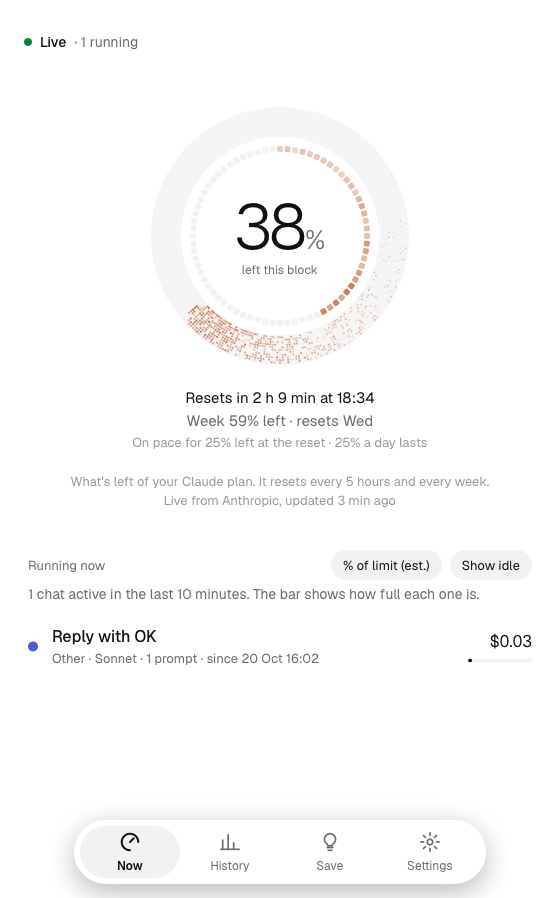
The Now screen: a ring showing 38% of the 5-hour block left, the reset time, the week left, and the chats running now.

One screen for the numbers that matter

Open it while you work. It updates from your running chats within seconds.

Left in the block, left in the week

A ring made of small pixels shows how much of the 5-hour block you have used, with the weekly limit inside it. The reset time and a pace line sit under it: how much is used a day, and where the week ends at this speed.

A card per running chat

Every chat that is running, with its context, its cost, what its subagents cost, how many prompts it took, and whether it is past the soft cap.

Warnings that say what to do

Past the soft cap, a subagent running for hours, a budget at 80%, a limit that runs out before it resets: each one names the chat it is about.

Answers, not just charts

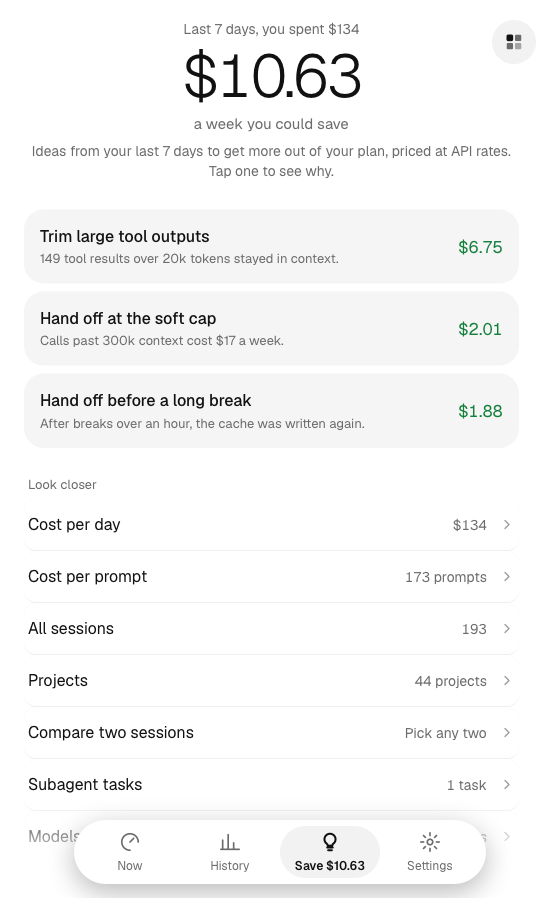
The Save screen turns the last 7 days into a few concrete changes, each with the dollars it would have saved and the evidence behind it. Tap one to see how it was worked out.

History you can read

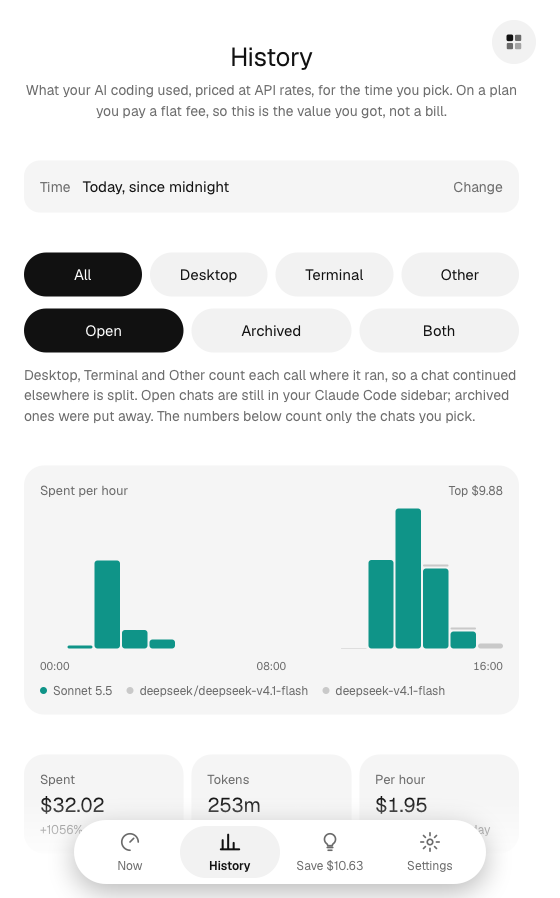
Spend by hour or by day, stacked by model, over a block, a day, a week or any range you pick. Click a bar to open that hour; drag to set the range.

Local by design

Chats are read from the folder Claude Code writes them to and never uploaded. Over the network: the limits request, a public price list, and — only when you turn phone access on — your own encrypted tunnel. Data can be exported as CSV whenever you want it.

The whole product, on the Mac

Four pages: what is happening now, history, ways to save, and settings. Plain words, no charts you have to decode.

Now: the block ring, the reset time, the week left, and the chats running now.
Now What is left of the limit and which chats are costing money right now.
History: spend per hour for today, stacked by model, with tiles for spend, tokens and cost per hour.
History Spend over the window you pick, with the desktop app, terminal and other tools counted apart.
Save: the dollars a week that could be saved, and the changes that would save them.
Save The changes worth making this week, priced, with the reasoning under each one.
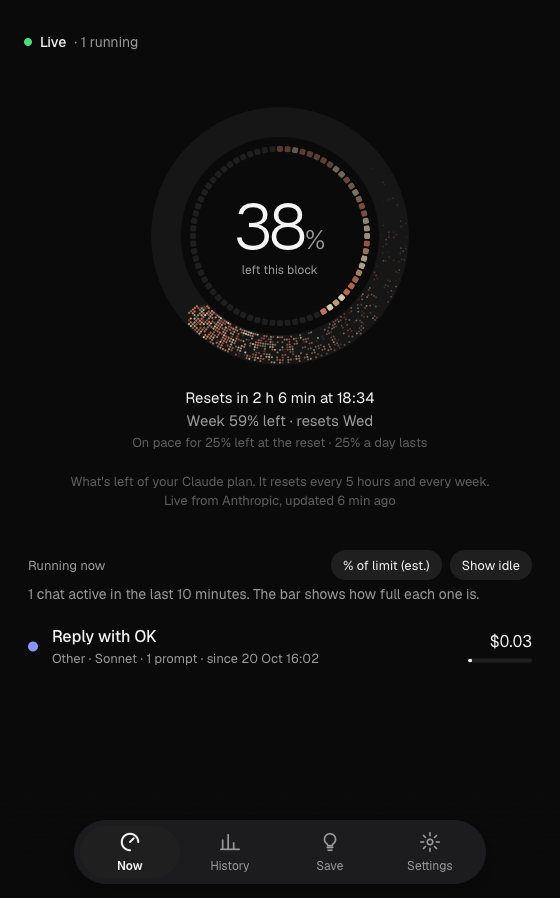
The Now screen in the dark theme.
Light or dark Follows your Mac, or pin one. Calm mode hides the pace line and the warnings when you want quiet.

Who it is for

A single-person tool for one Mac. It is not a team dashboard and it does not need an account.

Token Meter for Mac

A menu-bar app that keeps the percent left in the corner of your screen and opens the dashboard when you click it. It will be signed and notarized, so it installs like any other Mac app.

Not released yet. When it ships, the download and the install steps will be on this page — there is nothing to sign up for.

Download for Mac Coming soon